OMOTON Magnetic Keyboard Case for iPad Air 13 inch

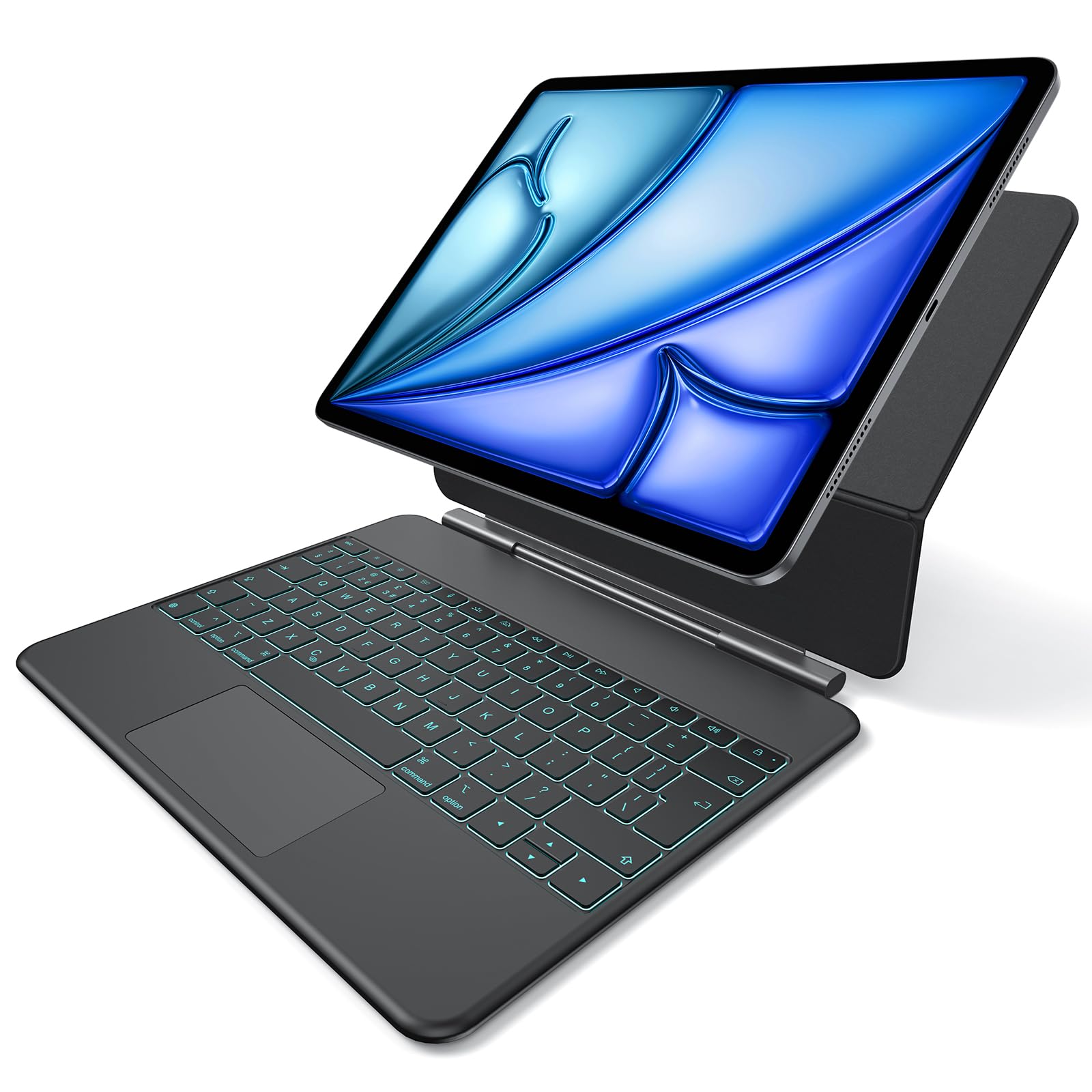
OMOTON Magnetic Keyboard Case for iPad Air 13 inch 2026 M4/M3/M2, QWERTY UK Layout Magic Keyboard iPad Pro 12.9 inch (6th/5th/4th/3rd Gen), Multi-Touch Trackpad, 7-Color Backlit, Ultra-Slim, KC014
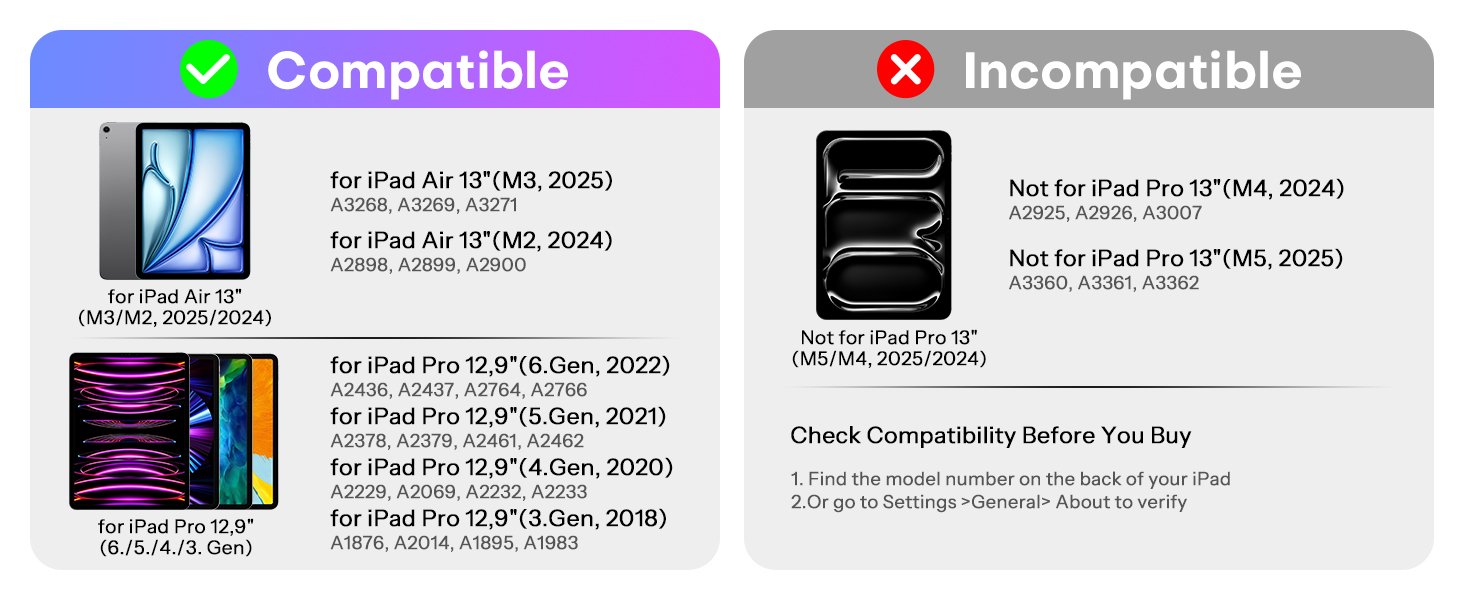
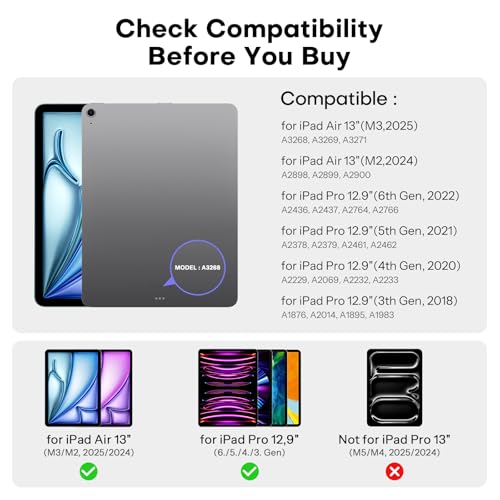
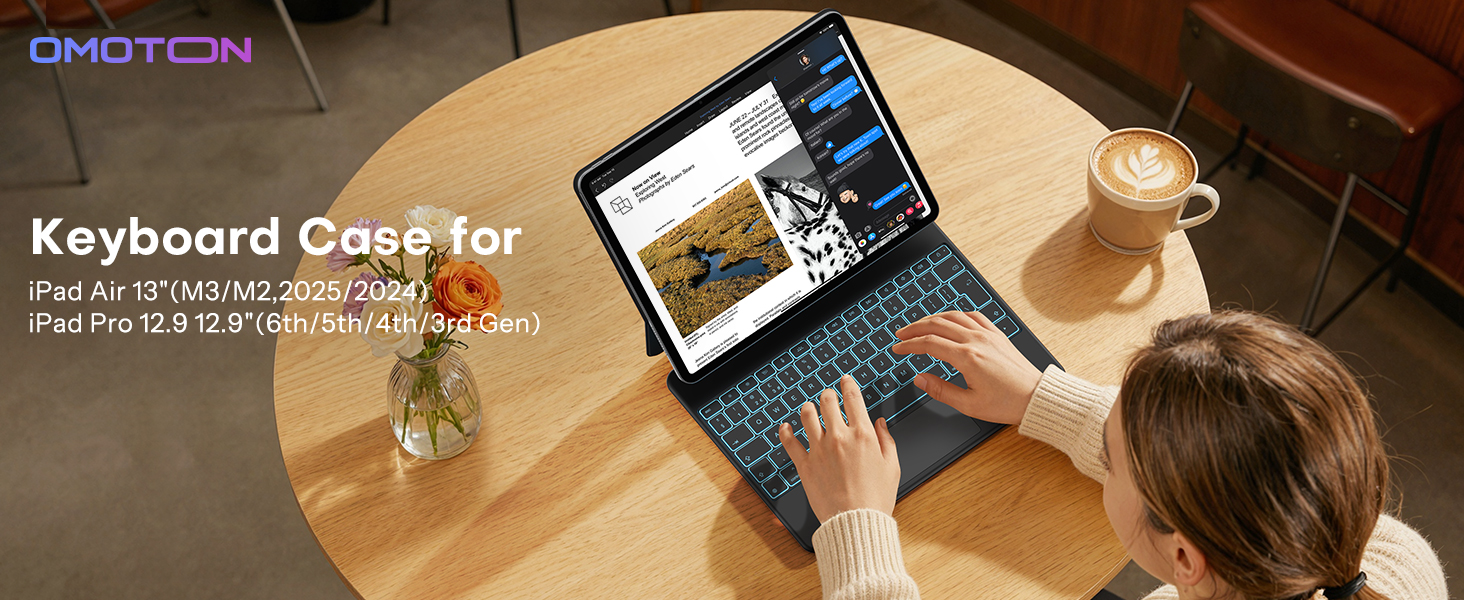
- Compatibility:Only compatible with iPad Air 13 inch (M4/M3/M2 2026/2025/2024) and iPad Pro 12.9 inch (6th/5th/4th/3rd Generation). Please confirm your iPad model before purchase; incompatible models or extra protective cases may weaken magnetic adsorption, ensuring a snug fit for targeted devices only
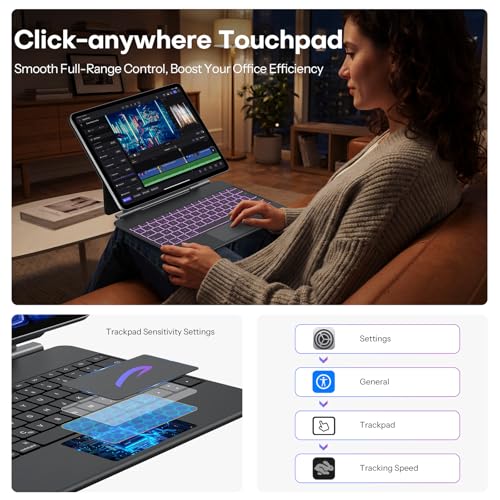
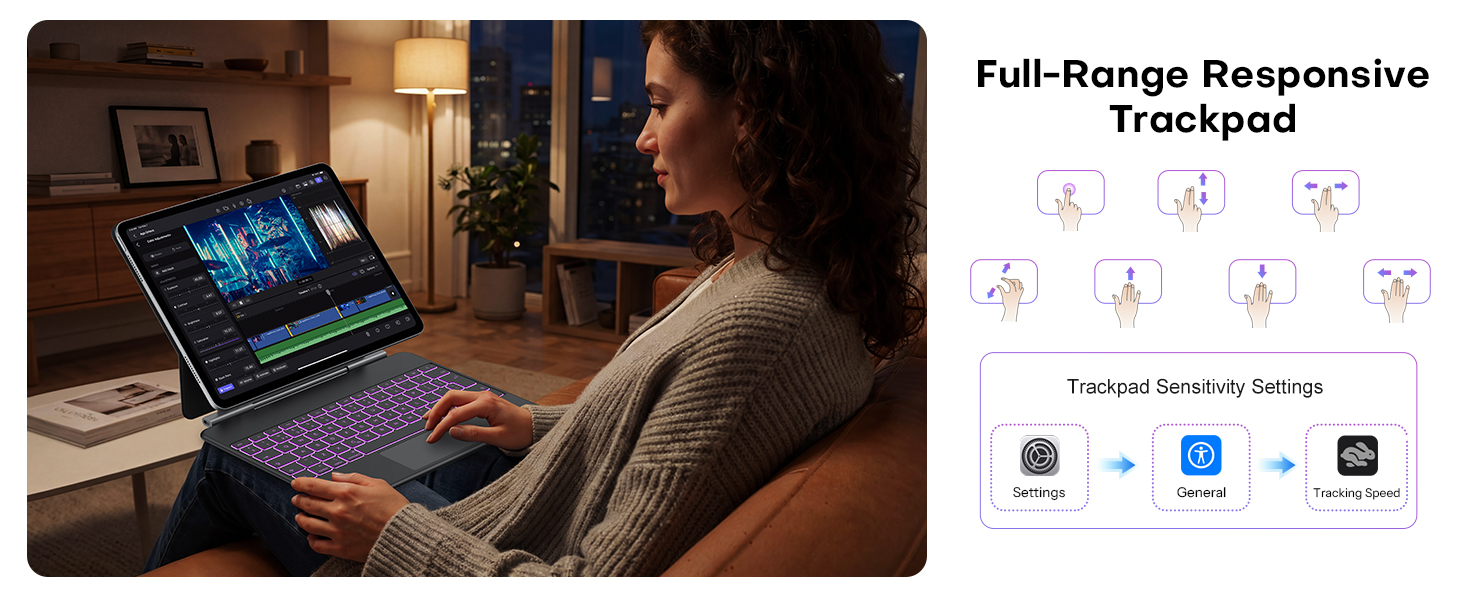
- High-Precision Full-Size Touchpad:Built-in upgraded multi-touch touchpad with silky-smooth surface, supports all iPadOS touch gestures with zero latency. Brings a laptop-like operating experience, boosting daily work, study and entertainment efficiency for iPad users
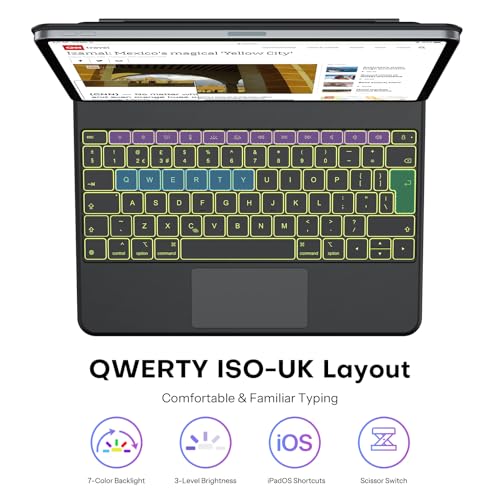
- 7-Color Adjustable Backlit:Equipped with 7 adjustable backlight colors and 3 brightness levels, enabling comfortable and accurate typing even in dim or dark environments. Customize lighting to match your usage scene for a personalized typing experience
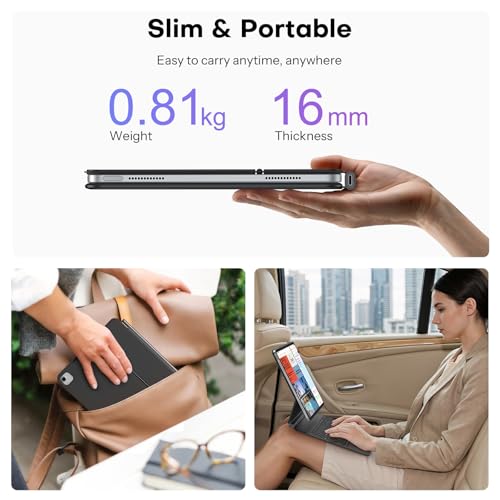
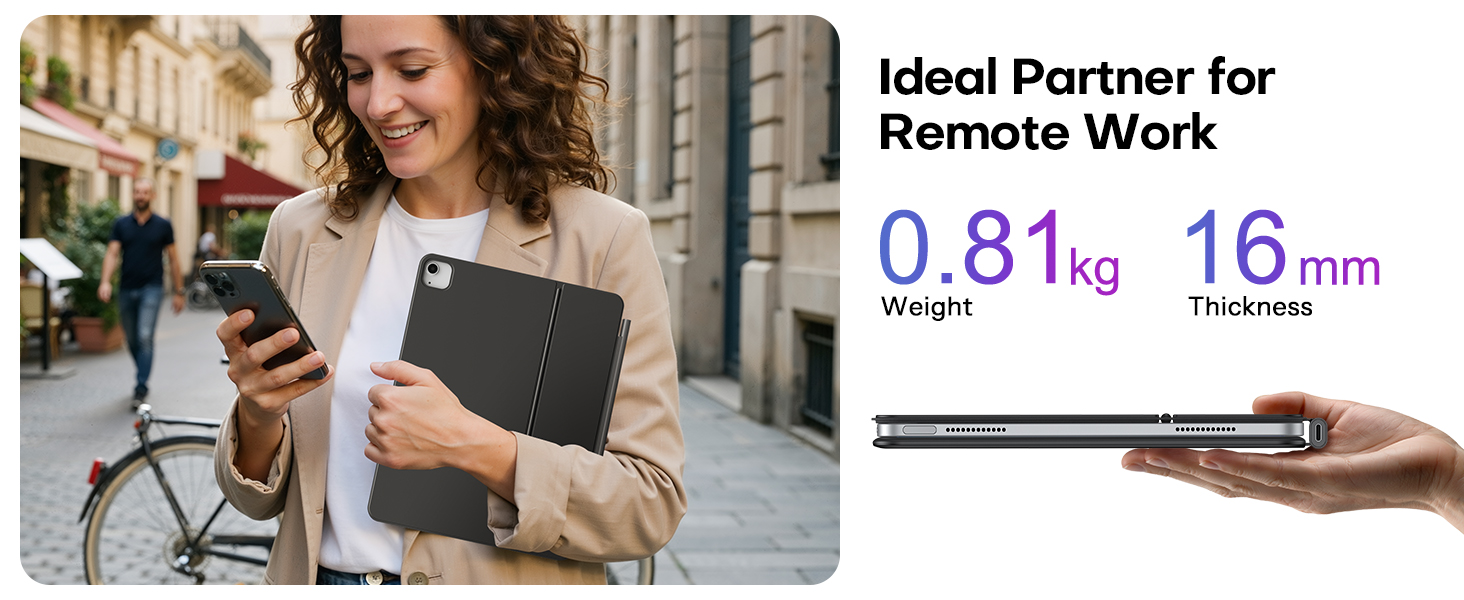
- Slim Portable:Made of premium PU leather, stylish, wear-resistant and built to last for long-term daily use. Weighs only 0.81kg, ultra-lightweight and compact enough to slip into bags effortlessly, perfect for business trips, commuting, outdoor study and mobile office scenarios
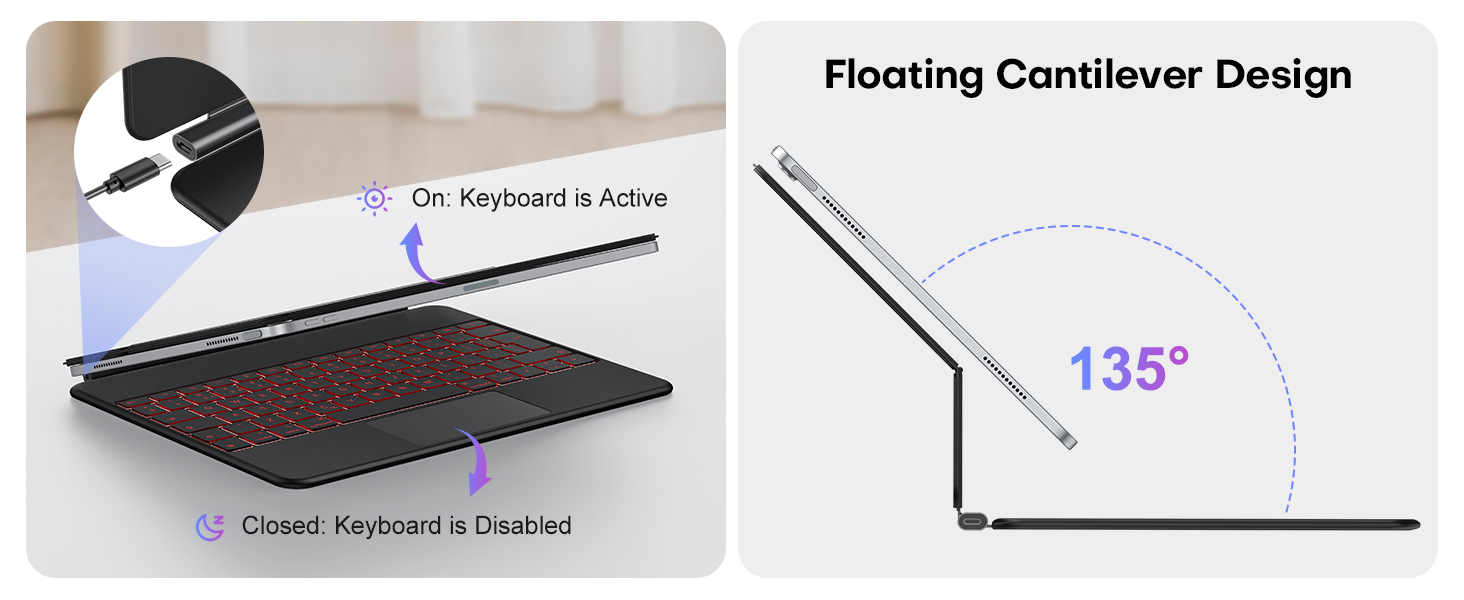
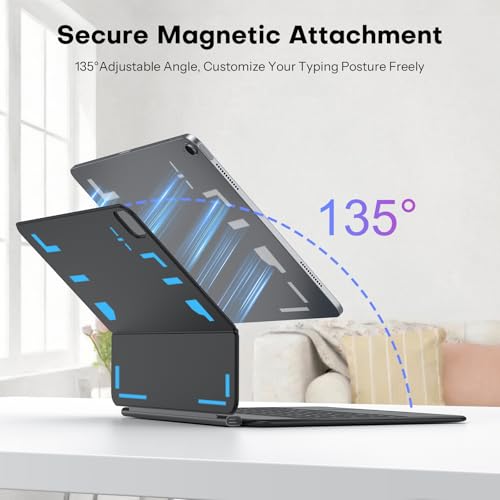
- Strong Magnetic & Adjustable Stand Design:Adopts stable magnetic cantilever design, attaches to iPad Air 13 seamlessly with built-in strong magnets. Adjustable stand provides optimal viewing angles for typing, video calls and media watching, combining protection and daily use functionality
How do I set up my iPad for a better trackpad experience?
Go to Settings > General > Trackpad. You can adjust the tracking speed (pointer movement speed) and scrolling direction, and turn on or off Tap to Click and Two-Finger Secondary Click.
Why does my iPad slip off and not attach securely?
1.Check your iPad model; incompatible models won’t attach securely
2.Align your iPad camera with the case cutout before installation
3.Remove extra cases—they weaken magnetism and cause instability
How to connect? I don’t see a power button.
No power button needed. Open to power on. Press Option+C for quick Bluetooth pairing. See user manual for details.
Anytime, anywhere

| SKU: | B0FZR7DDJ1 |
| Brand: | OMOTON |
| Manufacture: | OMOTON |
| Origin: | China |
Product Description
How do I set up my iPad for a better trackpad experience?
Go to Settings > General > Trackpad. You can adjust the tracking speed (pointer movement speed) and scrolling direction, and turn on or off Tap to Click and Two-Finger Secondary Click.
Why does my iPad slip off and not attach securely?
1.Check your iPad model; incompatible models won’t attach securely
2.Align your iPad camera with the case cutout before installation
3.Remove extra cases—they weaken magnetism and cause instability
How to connect? I don’t see a power button.
No power button needed. Open to power on. Press Option+C for quick Bluetooth pairing. See user manual for details.
Anytime, anywhere