for iPad Air 13 inch (M4-2026 / M2-2024 / M3-2025
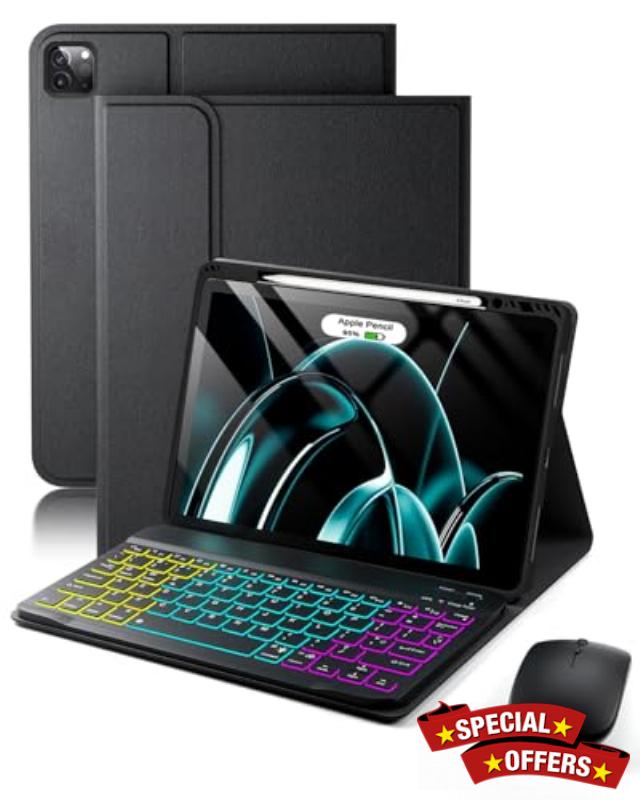
for iPad Air 13 inch (M4-2026 / M2-2024 / M3-2025) und iPad Pro 12,9 inch 6th (2022)/ 5th(2021)/ 4th(2020)/ 3th(2018) Generation Case,with Wireless Bluetooth British Layout Backlit Keyboard and Mouse
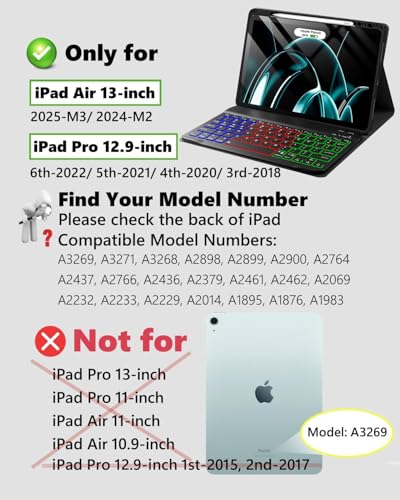
- Model Compatibility: Compatible with for iPad Air 13 (M4) (2026) 13-inch /iPad Air 13 (M2) (2024) 13-inch / iPad Air 13 (M3) (2025) 13-inch (models: A3462, A3464, A3461 A2898, A2899, A2900 A3269, A3271, A3268) / iPad Pro 12.9-inch / iPad Pro 6th Generation (2022) 12.9-inch /iPad Pro 5th Generation (2021) 12.9-inch/ iPad Pro 4th Generation (2020) 12.9-inch/ iPad Pro 3rd Generation (2018) 12.9-inch(models: A2764/A2437/A2766/A2436/A2379/A2461/A2462/A2069/A2232) (A2233/A2229/A2014/A1895/A1876/A1983)
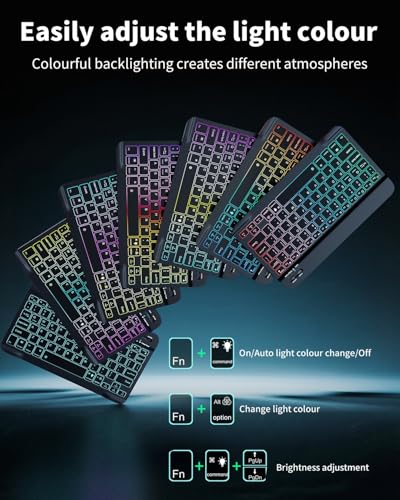
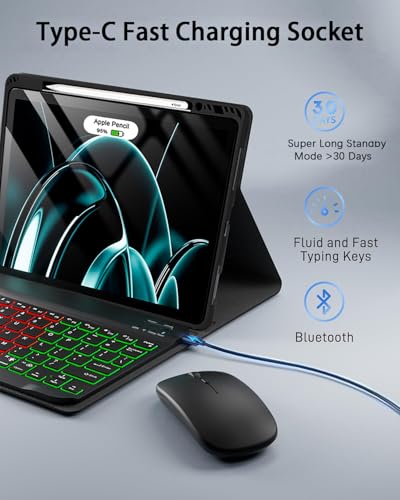
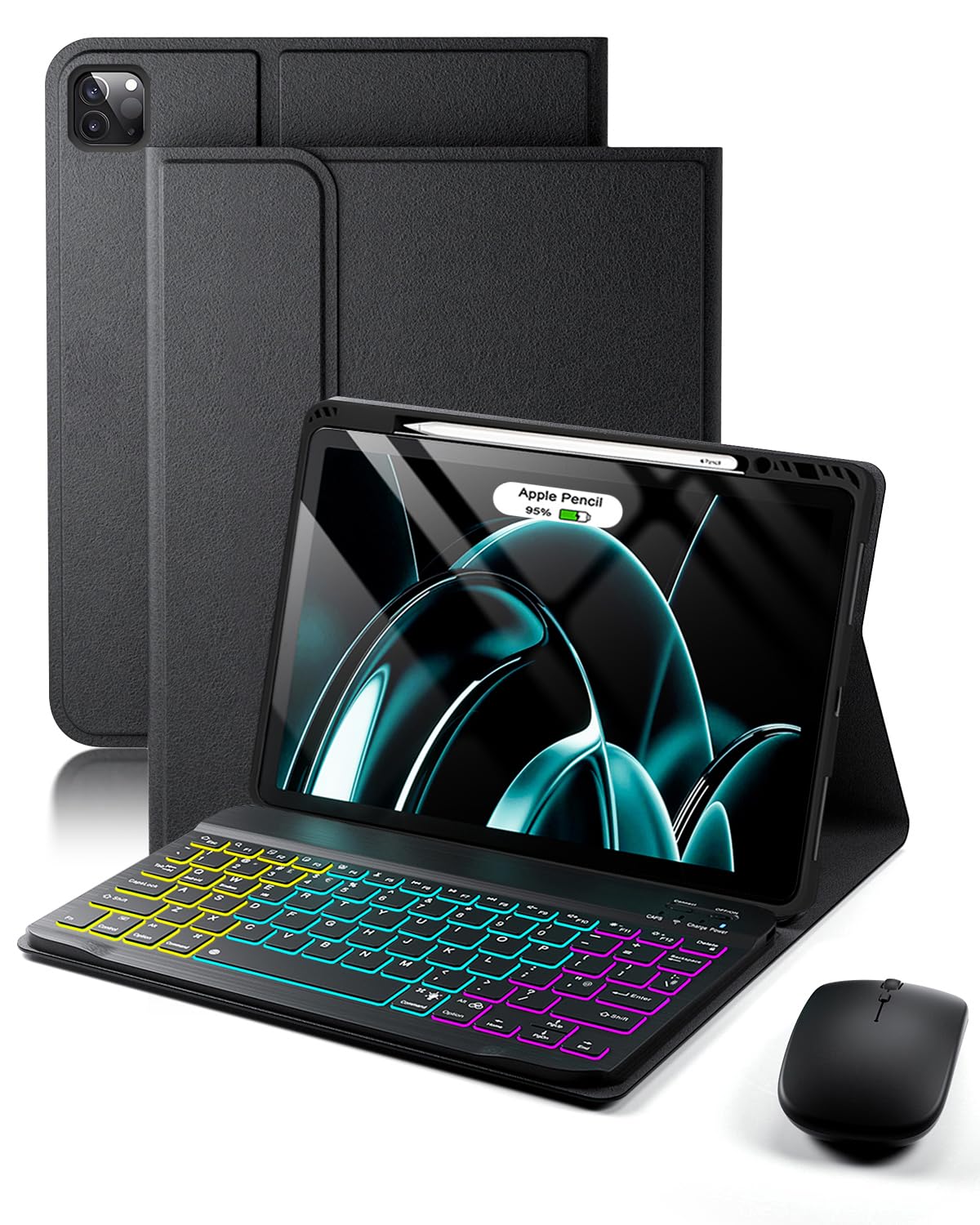
- Switch backlight in three modes Level 1: turn on the light,Level 2: automatic light change,Level 3: turn off the light, Fn+RGB key: Switch 7 colors in monochrome mode, Fn+bulb key+up and down arrow key: Increase or decrease backlight brightness in three levels (low, medium and high brightness can be adjusted)
- With a wireless Bluetooth mouse, it can be used independently with the keyboard on IOS, WINDOW, and Android. It is equipped with a Type-c interface, which is sensitive to operation and greatly improves office efficiency. The combination of mouse and keyboard makes mobile office and daily entertainment more convenient.
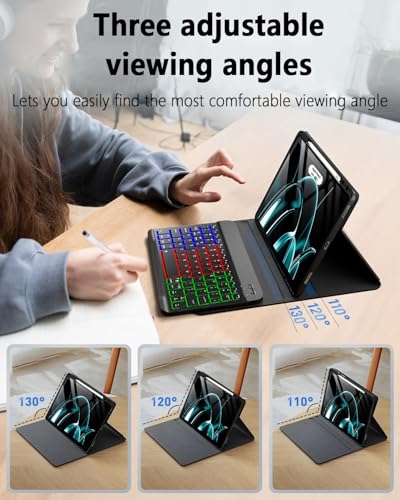
- Magnetic detachable, flexible and versatile: The keyboard has a magnetic suction function, which can be firmly adsorbed on the soft silicone protective case and is easy to disassemble; the protective case also has a supporting function, which can firmly support the tablet computer, and the viewing and typing angles can be adjusted at will.
- Comprehensive protection, peace of mind when traveling: The high-quality silicone protective case wraps the tablet in all directions, preventing it from falling, scratching and dust, providing reliable protection for the device; it can effectively resist accidental collisions during carrying, and protect your tablet with peace of mind.
- Smart sleep, save power and worry: The protective case adopts intelligent sensing design, which automatically wakes up the screen when opened and immediately sleeps when closed, effectively extending the battery life of the tablet
- Thoughtful pen slot for orderly storage: The specially designed pen slot can stably store the tablet stylus to prevent loss; the pen holder is prominently located for easy access, keeping your stylus within reach at all times.
- Silent keys, quiet and efficient: With the silent key design, the tapping sound is extremely small. Whether you are working overtime late at night, studying in the library, or working from home, you will not disturb others and bring a quiet and comfortable input experience.
How to solve the keyboard typingdelay?
This is due to insufficient power. Pleaseuse the Type-C power cable we provideto charge the keyboard for more than 2hours to solve the delay problem.
My keyboard won't charge, whatshould l do?
The keyboard's charging power iscompatible with 5V 2A. Please use theType-C power cable and the charginghead we provide to charge thekeyboard. Please note: Do not use ahigh-power charging head, as it willcause the keyboard to not charge
What accessories are included inthe product?
1* Tablet Case; 1* Wireless BluetoothKeyboard; 1* Wireless Bluetooth Mouse,1*Type-C Data Cable; 1*InstructionManual (Note: Tablet and Stylus are notincluded!).
Other questions?
If you have any questions when usingthe product, you can by email at anytime
How do l check my tablet model?
Method 1: Check the model numberstarting with "A" on the back of the iPad;Method 2: Open the tablet settings >General > About this device > click "M"part number to display the modelnumber starting with "A"
The product l received is not theright size for my device, can youhelp me?
This is a purchase error. The descriptionstates the compatible device model
How do l use a wireless keyboardand mouse?
The keyboard and mouse are wirelessBluetooth devices and can be usedimmediately after successful Bluetoothconnection and pairing with the tablet.
How to solve the problem that thekeyboard and mouse cannotconnect to Bluetooth?
Please use the Type-C power cable tocharge the keyboard and mouse for atleast 2 hours. Make sure they are fullycharged before use. lf the keyboard andmouse are low on power, the connectionsignal will become weak, resulting inconnection failure.
The mouse does not work afterbeing connected successfully. Howcan l troubleshoot the problem?
Need to operate on a tablet: Settings -Accessibility – Touch – After turning onAssistive Touch, the mouse cursor willappear and you can use it normally


| SKU: | B0GCJ2S15T |
| Brand: | MicroTunk |
| Model: | iPad Air 13 (M2 M3)iPad Pro12,9(6/5/4/3) |
| Colour: | Black |
| Manufacture: | MicroTunk |
| Colour: | Black |
| Origin: | China |
Product Description
How to solve the keyboard typingdelay?
This is due to insufficient power. Pleaseuse the Type-C power cable we provideto charge the keyboard for more than 2hours to solve the delay problem.
My keyboard won't charge, whatshould l do?
The keyboard's charging power iscompatible with 5V 2A. Please use theType-C power cable and the charginghead we provide to charge thekeyboard. Please note: Do not use ahigh-power charging head, as it willcause the keyboard to not charge
What accessories are included inthe product?
1* Tablet Case; 1* Wireless BluetoothKeyboard; 1* Wireless Bluetooth Mouse,1*Type-C Data Cable; 1*InstructionManual (Note: Tablet and Stylus are notincluded!).
Other questions?
If you have any questions when usingthe product, you can by email at anytime
How do l check my tablet model?
Method 1: Check the model numberstarting with “A” on the back of the iPad;Method 2: Open the tablet settings >General > About this device > click “M”part number to display the modelnumber starting with “A”
The product l received is not theright size for my device, can youhelp me?
This is a purchase error. The descriptionstates the compatible device model
How do l use a wireless keyboardand mouse?
The keyboard and mouse are wirelessBluetooth devices and can be usedimmediately after successful Bluetoothconnection and pairing with the tablet.
How to solve the problem that thekeyboard and mouse cannotconnect to Bluetooth?
Please use the Type-C power cable tocharge the keyboard and mouse for atleast 2 hours. Make sure they are fullycharged before use. lf the keyboard andmouse are low on power, the connectionsignal will become weak, resulting inconnection failure.
The mouse does not work afterbeing connected successfully. Howcan l troubleshoot the problem?
Need to operate on a tablet: Settings -Accessibility – Touch – After turning onAssistive Touch, the mouse cursor willappear and you can use it normally